File Downloads
Online
documentation, tutorials,
and client resources
cover many shopping cart program features. For assistance
or to leave a message go to the technical
support or contact
us page.
AShop X Business Software
Tour - Feature List
- License
Agreement - Server
Requirements
Get Started With AShop - Printable installation and configuration guide
 |
Step by step instructions that will help you get your AShop up and running quickly even if you have little or no experience in installing web applications.
|
Pre-Installation
Test - Must be run
before installing AShop X!
Permanent license key fees
are not refundable!! Please try before
you buy!
Before purchasing a permanent registration
key and attempting to install the program, first run
the pre-installation test. This script will report if
your server supports all of the software requirements
and automatically install the correct IonCube loader
for the version of PHP that is running on your server.
Instructions are included in the pre-installation test
package. After passing the pre-installation test, install
AShop X register it with a free
30-day trial key, which may be generated and used
once for a domain. When you are sure that the program
will suite your needs, then buy
the permanent key and replace the trial key with
it in order to continue using the same shopping cart
installation. To replace the key, call the admin/register.php
script from a browser. ie: http://www.yourdomain.com/admin/register.php.
Permanent registration keys may be purchased through
our online catalogue.
Installation instructions are in the online help.
 |
AShop X
business and shopping cart software runs on most UNIX,
Linux, FreeBSD, NetBSD and Windows operating systems
that support the program
requirements. This is a fully functional,
complete new installation package. It can be installed
and used with a free trial key for 30 days and
then a permanent key may be purchased and installed
if the program suites your needs. Please try before
you buy!
|
Downloadable User Guide
The manual for AShop is available both online from the Help icon in your admin panel and as a downloadable PDF document. Right click and choose "Save as" to save the document to your hard drive.
Designer's Guide
This printable PDF document contains all the information you need to design your own themes or templates for AShop. A must have guide for AShop owners who wish to customize the look of their shopping cart, web designers who want to sell custom designed AShop sites to their clients or create and sell commercial templates for the software. Right click and choose "Save as" to save the document to your hard drive.
PayPal Express Checkout and Web Site Payments Pro
Additional Software and Setup
The PayPal Express Checkout and Web Site Payments Pro methods requires
additional software to be installed and configured.
An activation process through PayPal.com is also required
before it can be used. See: PayPal
Pro Help Topic
Green theme for AShop X
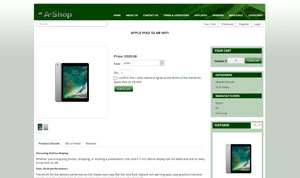 |
Design themes can be used to quickly give your AShop a brand new look. Just unzip, upload the contained folder to "themes" and select the new theme on the page Configuration->Layout in your admin panel.
|
Red theme for AShop X
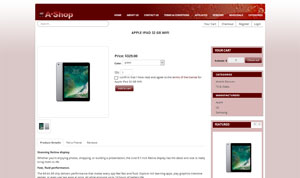 |
A red variation of the default AShop theme.
|
Christmas theme for AShop X
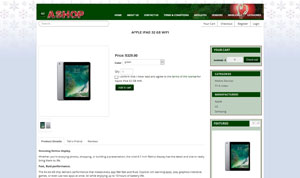 |
Why not celebrate the Holidays with a Christmas theme for your shop?
|
Black theme for AShop X
 |
A black variation of the default AShop theme. This was previously the default theme.
|
Blue theme for AShop X
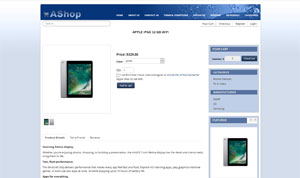 |
A blue variation of the default AShop theme.
|
Language
Sets For AShop X
Language sets are free to use with AShop X. Each
language set includes a set of language files, button
images, and a receipt template. When more than one
language set is installed, customers and affiliates
may select their language preference. Not all themes
support all languages, but you are welcome to modify
and add language files as needed. Language files and
themes are all open source files.
Back
One Page | Top of Page
|




