Dynamic Catalog
Products within the catalog may be accessed in a variety of ways. The dynamic shopping cart catalog is only one method. When catalogue.php is called directly, it gets the page layout from a page template, inserts the category tree and product listings within the page of the template, and serves the browser a complete HTML page. The catalog can also be used as a module in the storefront as illustrated below. Within the catalog area of the page, the category tree is on the left side and the products are listed on the right.

Modular Storefront
Each part of the shopping cart is written as a separate module which can be placed anywhere in the storefront. An example storefront page named index.php is included with AShop but it can be replaced or modified to suit the needs of the shop owner. The category tree, shopping cart box, customer login, search box, top list, newsletter signup box are examples of modules that can be included in a storefront. |
|
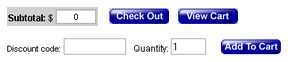
Order links is a simple method of inserting shopping
cart functionality into HTML web pages and newsletters. By using an order or "buy now" link
you can make it possible for your customers to buy products from your shopping cart by clicking a button or text link in an email message or any web page on any website of your choice.
Design custom sales pages or landing pages. Insert buy
buttons into existing web pages or on your blog. Use form buttons or substitute
image buttons to match your web site. Order link code can be
used anywhere, including remote servers and from within plain
text email messages! It links to your AShop shopping
cart program for view cart and check out functions. No special
skills are required. The code is generated for you by clicking the chain link icon for a product and can simply be copied and pasted. |